Examples catalog
All examples live in src/examples/.
mip.install("github:PyDevices/pydisplay/packages/examples.json", target="./examples")
Use import lib.path first in a development clone (see full clone).
multimer portability markers
As examples are reviewed for multimer portability (sync, queued, and async timer patterns), each updated script gets a first-line comment tagging which timer styles it supports:
# multimer types: all
Progress: 62 / 62 top-level (src/examples/*.py) and 7 / 7 subdirectory runnable demos marked (including spotify_remote).
Tag values
| Tag | Meaning |
|---|---|
all |
Works on sync, queued, and async timer backends without code changes (often one-shot + display_drv.show(), or event-poll + show()) |
queued, sync |
Blocking loop with run_queued() + sleep_ms() (or finite variant in timer_simpletest.py) |
sync |
Sync-only or one-shot on the main thread (lv_test_timer_sync.py exits on queued platforms; console_advanced_demo.py uses os.dupterm + one display_drv.show()) |
async |
TIMER_ASYNC + asyncio main loop |
NA |
Not applicable — shared module or test harness, not a runnable portability example (lv_test_timer_common.py, lv_test_timer_harness.py) |
Search commands
List all marked examples:
rg '^# multimer types:' src/examples/*.py
List examples tagged for every timer style:
rg '^# multimer types: all' src/examples/*.py
List unmarked top-level examples:
comm -23 \
  <(ls -1 src/examples/*.py | xargs -I{} basename {} | sort) \
  <(rg -l '# multimer types:' src/examples/*.py | xargs -I{} basename {} | sort)
List all marked examples (recursive, including subdirectories):
rg '^# multimer types:' src/examples/
List unmarked runnable scripts (path-based; excludes support modules without markers by design):
comm -23 \
  <(find src/examples -path '*/.*' -prune -o -name '*.py' -print | sort) \
  <(rg -l '# multimer types:' src/examples/ -g '*.py' | sort)
Canonical patterns
Event-driven poll — displaysys_simpletest.py, eventsys_encoder_test.py:
display_drv.show()  # after initial draw
while True:
    if elist := broker.poll():
        for e in elist:
            ...  # draw on event
            display_drv.show()
Finite queued/sync test — timer_simpletest.py:
while not _done:
    run_queued()
    sleep_ms(1)
Forever LVGL / library-driven app — lv_touch_test.py: setup UI, then drain the queue only when needed:
from multimer import Timer
if getattr(Timer, "REQUIRES_RUN_QUEUED", False):
    from multimer import run_queued, sleep_ms
    while True:
        run_queued()
        sleep_ms(1)
On sync platforms the if block is skipped; on queued platforms (CPython SDL, CircuitPython threading) the loop keeps timer callbacks and display refresh alive.
tft_config animation / one-shot — subdirectory demos alien/alien.py, tiny_toasters/tiny_toasters.py, chango/chango.py:
from board_config import broker
from multimer import Timer, run_queued, sleep_ms  # sleep_ms in loops only

tft.show()
if getattr(Timer, "REQUIRES_RUN_QUEUED", False):
    run_queued()
broker.poll()  # SDL message pump — required on MicroPython Windows
On MicroPython Windows (and other ports using multimer._polling), multimer.REQUIRES_RUN_QUEUED is false but Timer.REQUIRES_RUN_QUEUED is true — check the timer class flag, not the module flag. Without broker.poll(), the SDL window can freeze after the first frame even when the Python loop keeps running.
LVGL apps — spotify_remote/main.py (symlinked from spotapi):
import display_driver

# ... build LVGL UI ...
display_driver.run()
Returns immediately on MicroPython unix and CPython (non-Windows) when lv_utils is already running — REPL stays usable. Blocks on Windows (run_queued() + broker.poll()) and macOS (lv_utils tick loop). See LVGL guide.
PyWidgets (pdwidgets) — widgets_stub.py: build UI, then:
import pdwidgets as pd

pd.init_timer(10)  # optional; omit for poll mode
# ... widgets ...
pd.run_forever()
run_forever() drains run_queued() on queued backends; in poll mode it calls pd.tick(). On sync MCU with a timer, it returns immediately. On CPython Linux SDL it drives tick() from the main loop. See PyWidgets.
Notes
displaysys_simpletest.pyandeventsys_encoder_test.pyare taggedallbut use event loops: calldisplay_drv.show()after draws (norun_queued()). Same pattern asscroll_touch_test_displaybuf.py.font_simpletest.pyis taggedall; blits a small framebuffer withdisplay_drv.blit_rect()and callsdisplay_drv.show()after each draw.nano_gui_simpletest.pyis taggedall; requires upstreamgui/inadd_ons/. Legend: Platforms = CPython · MCU · PyScript · Wokwi · Packages = core · add_ons · LVGL
Suggested learning order
| Step | Script | Platforms | Packages | Screenshot |
|---|---|---|---|---|
| 1 | hello.py |
CPython · MCU · Wokwi | core | — |
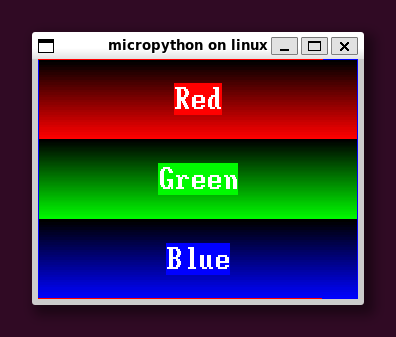
| 2 | color_test.py |
CPython · MCU | core | color_test |
| 3 | displaysys_simpletest.py |
CPython · MCU | core | — |
| 4 | eventsys_simpletest.py |
CPython · MCU · PyScript | core | — |
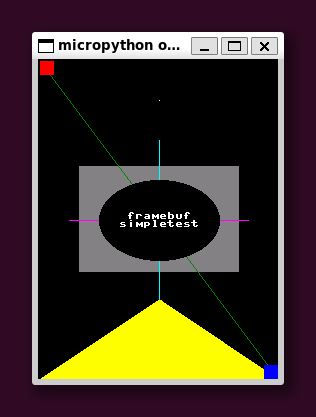
| 5 | framebuf_simpletest.py |
CPython · MCU | core | framebuf |
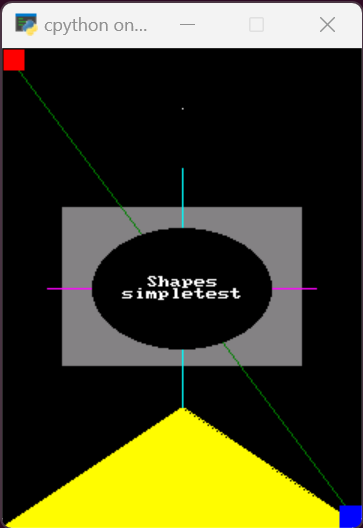
| 6 | graphics_simpletest.py |
CPython · MCU | core | shapes |
| 7 | eventsys_touch_test.py |
CPython · MCU | core | — |
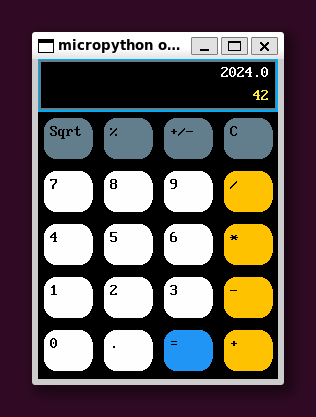
| 8 | calculator.py |
CPython · PyScript | core | calculator |
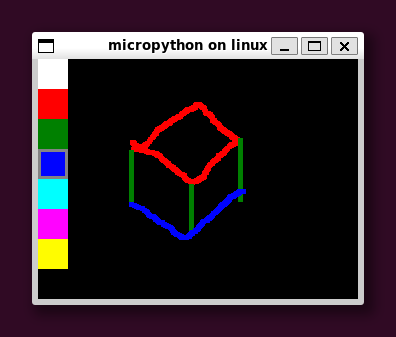
| 9 | paint.py |
CPython · PyScript | core | paint |
| 10 | widgets_simpletest.py |
CPython · MCU | add_ons | — |
PyScript requires asyncio — see PyScript asyncio guide.
Hello and basics
| Script | Description | Platforms | Packages |
|---|---|---|---|
hello.py |
Minimal text | CPython · MCU · Wokwi | core |
color_test.py |
Color bars | CPython · MCU | core |
logo.py |
Logo drawing | CPython · MCU | core |
displaysys_simpletest.py |
Display smoke test | CPython · MCU | core |
displaysys_block_test.py |
Block transfer test | CPython · MCU | core |
displaysys_fill_rect_test.py |
Fill rect test | CPython · MCU | core |
Events and input
| Script | Description | Platforms | Packages |
|---|---|---|---|
eventsys_simpletest.py |
Event loop basics | CPython · MCU · PyScript | core |
eventsys_touch_test.py |
Touch events | CPython · MCU | core |
eventsys_encoder_test.py |
Rotary encoder | MCU | core |
scroll_touch_test.py |
Touch scrolling | CPython · MCU | core |
scroll_touch_test_displaybuf.py |
Scroll with DisplayBuffer | MCU | add_ons |
joystick_list_select.py |
Joystick + list | CPython · MCU | core |
keypins_simpletest.py |
Keypad pins | MCU | add_ons |
Drawing and fonts
| Script | Description | Platforms | Packages |
|---|---|---|---|
framebuf_simpletest.py |
framebuf API | CPython · MCU | core |
graphics_simpletest.py |
graphics module | CPython · MCU | core |
graphics_area_test.py |
Area bounding boxes | CPython · MCU | core |
font_simpletest.py |
Font rendering | CPython · MCU | core |
font_simpletest2.py, font_simpletest3.py |
More fonts | CPython · MCU | core |
font_list.py |
Font picker | CPython · MCU | core |
fonts.py |
Page through fonts | CPython · MCU | core |
boxlines.py |
Lines and boxes | CPython · MCU | core |
Bitmaps and palettes
| Script | Description | Platforms | Packages |
|---|---|---|---|
bmp565_simpletest.py |
BMP565 load/draw | CPython · MCU | add_ons |
bmp565_blit.py |
Blit operations | CPython · MCU | add_ons |
bmp565_sprite.py |
Sprite animation | CPython · MCU | add_ons |
bmp565_sprite_transparent.py |
Transparency | CPython · MCU | add_ons |
bmp565_scroll.py |
Scrolling bitmap | CPython · MCU | add_ons |
bmp565_scroll_sprite.py |
Scrolling sprite | CPython · MCU | add_ons |
palettes_material.py |
Material palette | CPython · MCU | core |
palettes_wheel.py |
Color wheel | CPython · MCU | core |
palettes_cube.py |
RGB cube | CPython · MCU | core |
pbm_simpletest.py |
PBM images | CPython · MCU | add_ons |
png_test.py |
PNG (experimental) | CPython | add_ons |
Widgets and apps
| Script | Description | Platforms | Packages |
|---|---|---|---|
calculator.py |
Async calculator | CPython · PyScript | core |
paint.py |
Paint app | CPython · PyScript | core |
testris.py |
Tetris-like game | CPython · MCU | core |
apollo.py |
Apollo DSKY | CPython · PyScript | core |
widgets_*.py |
PyWidgets demos | CPython · MCU | add_ons |
console_simpletest.py |
Console add-on | CPython · MCU | add_ons |
console_advanced_demo.py |
Advanced console | CPython · MCU | add_ons |
Display buffers and misc
| Script | Description | Platforms | Packages |
|---|---|---|---|
displaybuf_simpletest.py |
DisplayBuffer | CPython · MCU | add_ons |
displaybuf_blit.py |
DisplayBuffer blit | MCU | add_ons |
scroll.py |
Scrolling text | CPython · MCU | core |
rotations.py |
Display rotation | CPython · MCU | core |
timer_simpletest.py |
multimer timer | CPython · MCU | core |
nano_gui_simpletest.py |
Nano-GUI hardware check | CPython · MCU | add_ons + upstream gui/ |
lv_touch_test.py |
LVGL touch grid | MCU | LVGL |
lv_test_timer_sync.py |
LVGL timer — sync (no loop) | MCU · CPython Linux | LVGL |
lv_test_timer_queued.py |
LVGL timer — sync + run_queued() |
CPython · MCU | LVGL |
lv_test_timer_async.py |
LVGL timer — asyncio / PyScript | CPython · PyScript | LVGL |
Subdirectories
Runnable demos in subfolders use the same multimer markers as top-level examples (# multimer types: … first line).
| Directory | Script | Tag | Platforms | Notes |
|---|---|---|---|---|
alien/ |
alien.py |
queued, sync |
CPython · MP · MCU | Sprite bounce; tft.show() + Timer/run_queued() + broker.poll() each frame |
chango/ |
chango.py |
all |
CPython · MP · MCU | One-shot font demo; tft.show() + run_queued() + broker.poll() after draws |
noto_fonts/ |
noto_fonts.py |
all |
MP · MCU | One-shot Noto font demo; same tail as chango |
proverbs/ |
proverbs.py |
queued, sync |
CPython · MP · MCU | Chinese proverb slideshow; UTF-8 fonts on MCU |
tiny_toasters/ |
tiny_toasters.py |
queued, sync |
CPython · MP · MCU | Sprite animation; getrandbits randint on MP Windows |
spotify_remote/ |
main.py, keyboard_test.py |
queued, sync |
CPython · MP · network | LVGL + OAuth; symlink to spotapi; display_driver.run() (REPL on unix; block on Windows) |
apollo_dsky/ |
— | — | — | Support module for top-level apollo.py |
assets/ |
— | — | — | Shared fonts and images |
Screenshots and live demos
See Try pydisplay for the full gallery and browser/Wokwi demos.